This page is for the original 1995 game. For the 2024 remaster, see Star Wars: Dark Forces Remaster.
Star Wars: Dark Forces is a first-person shooter set during the original Star Wars trilogy, and is the first game in the Jedi Knight series.
In late 2022, version 1.0 of The Force Engine was released, a reverse-engineered port allowing for native widescreen, high resolutions, and vertical aiming with the mouse. The game has an active modding community, centered around the DF-21 website and it's Discord server.
General information
- GOG.com Community Discussions for game series
- GOG.com Support Page
- Steam Community Discussions
Availability
- A demo containing an earlier version of the first level is available. A longer demo which includes the finalized versions of the first 3 levels was also released.[Note 1]
- The original icon, which isn't used in the Steam version of the game, is available here
Essential improvements
Patches
- The DOS version has no patches (the
Install.exe listed on the official support page is not for this game).
- The 1.2 Update patch fixes some issues with the MacOS Classic version.
- Official German Patch adds missing translations and voice files.
Unofficial patches
- Dark Forces Community Patch (2022) has over 100 fixes and quality of life improvements.
- Reverse-engineered source port of Dark Forces made by the same author of DarkXL that includes QOL improvements
- GPU rendering with widescreen and high resolution support (up to 4K)
- Full mouselook support
- In-game saving and quicksaves available from any point in the game
- iMUSE and dynamic music implemented
Note!! this is now superceded by The Force Engine please use that instead.
- Multi-featured Launcher which has a guide.
- Runs Dark Forces and custom community-made missions
- Automatically updates new missions as they are added to df-21.net.
- Includes Dark Forces DeHacker.
- All of the following features are completely optional and DeHacker can be used only as configuration tool replacement instead of the buggy original setup executable - see "Configuration setup" menu.
- Enables vertical mouselook and allows for higher controls customization
- Runs the game and setup program without the CD
- Fixes infinite loop bug in General MIDI and Roland music drivers
- Increased mouse sensitivity by 4 times
- Documentation in
DARKINFO.TXT file with a complete list of all reserved keyboard keys, command line options, and cheat codes
- Step-by-step guide
Game data
Configuration file(s) location
- Config file is not human readable. A partial explanation on how to edit it can be found here.
- This game does not follow the XDG Base Directory Specification on Linux.
Save game data location
Video
Input
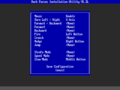
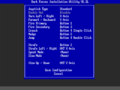
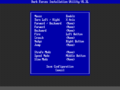
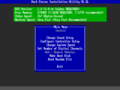
Control options in INSTALL.EXE.
Keyboard remapper in setup.exe
Suggested controls shown.
Joystick remapper in setup.exe
Mouse remapper in setup.exe
Modern control scheme + v-look for mouse (DOSBox)
- Use Dark Forces Plus, compilation of DOSBox keymapper files and GlovePIE script.[6]
- Could use FreePIE as alternative to GlovePIE.
- GlovePIE and FreePIE are Windows programs; they do not work on Mac or Linux.
Audio
Sound card and MIDI options in
setup.exe.
Suggested settings for
DOSBox shown.
Sound channel settings in setup.exe.
- This game supports the MT-32 and General MIDI for music.
Localizations
Issues unresolved
- The MIDI tracks BOSS-05.GMD, BOSS-08.GMD, BOSS-10.GMD, BOSS-11.GMD and BOSS-14.GMD (inside SOUNDS.GOB) never play during the game when the corresponding boss is fought against. This is known to be true about the DOS retail release and is an iMUSE issue.
- One sector in "Mission 3: Anoat City" is messed up, preventing access to two energy unit pickups. Its corridor can be entered by setting the hub switch to setting 2. The inaccessible sector is on the right just inside the sewage corridor, showing up with the map cheat or a level editor.
- Two Ceiling Turrets in "Mission 4: Research Facility" are missing their bases.
- Some of the Ceiling Turrets have their base set to have the Turret logic. Nothing happens unless the corresponding map gets edited.
- A fan in "Mission 4: Research Facility" has its grate set to use the Fan logic. Unless the map is edited, the grate stays still.
- There is a non-functioning elevator in "Mission 9: Nar Shaddaa" in the room with the first Trandoshans. Its sector is messed up and inaccessible, preventing players from going back to the starting area without sitting on a mine or cheating.
Issues fixed
Game randomly changes colors
|
Change output method to DirectDraw or OpenGL[citation needed]
|
- Go to the Dark Forces installation folder.
- Edit
dosbox.conf
- In the
[SDL] section, change output=surface to output=ddraw or output=opengl (whichever works best)
- Save your changes.
|
Game appears stretched horizontally
|
Fix incorrect aspect ratio[citation needed]
|
- Dark Forces is designed to run at 320x200, but with a 4:3 aspect ratio. To set this, do the following:
- Go to the
[render] section of the DOSBox configuration file and change aspect=false to aspect=true.
- If you are using Boxer, you can also use the View - Use 4:3 Aspect Ratio item in the menu.
|
Run retail version without the CD
|
Run without the CD[8]
|
- Perform a full install within DOSBox.
- Copy the CD.ID file from your Dark Forces CD, to the folder you have mounted as DOSBox's C: drive.
- Use a text editor to open the DRIVE.CD file in your Dark Forces installation folder. It should contain one letter. Change it to C and save it.
- Disables the ability to change configuration in the setup.exe (says you must install the game first).
|
|
Create a dummy folder[citation needed]
|
- Perform a full install within DOSBox.
- Copy the CD.ID file from your Dark Forces CD, to a new folder (which you will later mount as drive D).
- Copy the BOOTMKR.EXE and IMUSE.EXE from the CD or the installation folder to this new folder (the IMUSE.EXE must be in a \Dark sub folder to be detected by the configuration utility).
- Mount the folder as drive D, then play!
- Slightly more involved than the above fix for simply the ability to use the configuration utility.
- Significantly leaner than having an ISO mounted to access setup.exe (Steam version).
- Files can be mistakenly deleted using the "Remove modules" option, marking files as read-only is recommended.
|
Update Steam DOSBox version/Run without Steam
|
Run without Steam[citation needed]
|
- Install the game through Steam.
- Download the latest DOSBox version.
- Run the installer and point it to the Dark Forces installation folder.
- To run Dark Forces without Steam, run
dosbox.exe directly. To run with Steam, launch as usual.
|
Ice Glitch using DOSBox
- When playing the game in DOSBox you will find that you get stuck in the ice in the Robots Facility level
|
Set your cycles amount to fixed 40000
|
- You can do this in DOSBox config or pressing Ctrl+F11 / Ctrl+F12
|
|
You try to grab the Ice Shoes before you get stuck in the ice. If you got stuck on the ice and can't grab the Ice Shoes, try moving the mouse quickly to get unstuck
|
Enable Steam overlay
|
Change DOSBox output method to OpenGL[citation needed]
|
- Go to the Dark Forces installation folder.
- Edit
dosbox.conf
- Change
output=surface to output=opengl
- Save your changes.
|
Other information
API
| Technical specs |
Supported |
Notes |
| OpenGL |
3.3 |
See The Force Engine |
| Software renderer |
|
|
| DOS video modes |
MCGA, VGA |
|
Middleware
|
Middleware |
Notes |
| Audio |
iMUSE |
For music |
System speed settings in setup.exe
- DarkXL is heavily outdated at this point and it's not recommended to use it anymore, as it has been surpassed by The Force Engine.
- Enables playing the game in modern Windows. Supports high resolutions, with enhanced visuals and proper mouselook.
- The Original version of the project, however, is no-longer in active development, and the most-recent alpha version has some unresolved issues such as missing cutscenes, no music during cutscenes, a float/noclip function bound to the F key that cannot be rebound, and other issues that require workarounds to correct. However, the game can still be completed in this form. (see Getting started with XL Engine).
The author of the Xlengine/DarkXL port LuciusDXL has, as of May 2020, restarted the project as The Force Engine concentrating on Dark Forces and Outlaws games. This is due in part to Blood and Daggerfall having other complete projects/ports available. More information is available on his blog post here.
Dark Frontend is a utility that allows easier launching of mods and levels. Installation (of both the launcher and the mods you intend to use with it) isn't exactly the most straight forward; includes a digital manual (readme.exe), reading it is recommended before using. It has been superseded by Dark Forces Custom Launcher, but unlike its successor, it is a native DOS program and can directly in DOSBox.
System requirements
- The Force Engine requires an OpenGL 3.3-capable GPU.
| DOS | Windows | Mac OS (Classic) | macOS (OS X) | Linux |
| DOS |
|
Minimum |
Recommended |
| Operating system (OS) |
5.0 |
6.22 |
| Processor (CPU) |
Intel 386DX 33 MHz
| Intel 486DX 33 MHz |
| System memory (RAM) |
8 MB | |
| Hard disk drive (HDD) |
3.5 MB | |
| Video card (GPU) |
MCGA, VGA | |
- Full hard-drive installation requires 67.4 MB.[9]
| Windows |
|
Minimum |
| Operating system (OS) |
2000, XP, Vista |
| Processor (CPU) |
Intel Pentium 486 |
| System memory (RAM) |
16 MB |
| Hard disk drive (HDD) |
80 MB |
| Video card (GPU) |
DirectX 5.2 compatible |
| Sound (audio device) |
16-bit sound card |
| Mac OS |
|
Minimum[10] |
Recommended |
| Operating system (OS) |
MacOS 7.1 | |
| Processor (CPU) |
68040 or PowerPC | |
| System memory (RAM) |
8 MB | |
| Hard disk drive (HDD) |
5 MB (Minimum Install) |
13 MB |
| Video card (GPU) |
256-color 13" display | |
| Controller |
Keyboard and mouse |
Joystick optional |
| Other |
CD-ROM drive required | |
Notes
- ↑ Any references to "the demo" on this page refer to the first demo.
- ↑ 2.0 2.1 2.2 2.3 2.4 2.5 File/folder structure within the installation folder reflects the path(s) listed for DOS game data.
- ↑ 3.0 3.1 Notes regarding Steam Play (Linux) data:
References



 (unavailable)