This page is for the original 2003 PC release. For the remaster, see Grand Theft Auto: Vice City – The Definitive Edition.
Grand Theft Auto: Vice City
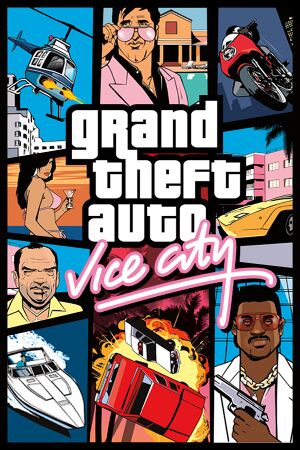 |
|
Rockstar North |
| macOS (OS X) |
TransGaming Inc. |
|
Rockstar Games |
| Japan |
Capcom |
| Russia |
1C-SoftClub |
|
RenderWare |
| Windows |
May 1, 2003 |
| macOS (OS X) (Cider) |
November 12, 2010 |
| Metacritic |
94 |
| IGDB |
94 |
| Monetization |
One-time game purchase |
| Modes |
Singleplayer |
| Pacing |
Real-time |
| Perspectives |
Third-person |
| Controls |
Direct control |
| Genres |
Action, Adventure, Open world, Shooter, TPS |
| Vehicles |
Automobile, Bicycle, Bus, Flight, Helicopter, Hovercraft, Motorcycle, Off-roading, Street racing, Tank, Train, Transport, Truck |
| Art styles |
Realistic |
| Themes |
Contemporary |
| Series |
Grand Theft Auto |
|
Warnings
- The macOS (OS X) version of this game does not work on macOS Catalina (version 10.15) or later due to the removal of support for 32-bit-only apps.
Key points
- Features the ability to import your music for your own custom radio station[1], as well as custom player skins.
General information
- GTAForums - Grand Theft Auto: Vice City Discussion
- Grand Theft Wiki
- GTA Network - A huge network of fansites all dedicated to the Grand Theft Auto series
- GTA Garage Mod Database
- Steam Community Discussions
Availability
- If the Steam version is detected, the Rockstar launcher can launch the game through Steam instead.[4]
- Was given for free to anyone who purchased The Definitive Edition on the Rockstar Store before June 30, 2022.
Version differences
- The current Steam version as of December 2012 was rumored to have some radio songs removed similarly to the mobile version and rare 2013 retail PC re-release.[5] However, these rumours were untrue as the most recent Steam version ("New Audio") still has the full soundtrack, like the earlier retail and "Old Audio" Steam versions.[6][7][8]
- The Rockstar Games Launcher version, however, does have the cut soundtrack from the mobile port and the 2013 retail re-release.[9] To restore them for the Rockstar Games Launcher version, see Downgrading.
Essential improvements
Patches
- Not recommended for modding as most mods require v1.0.
- Patch v1.1 is the latest official patch available. Most digital distribution versions already include this patch.
Skip intro videos
- Although this mod was made for Grand Theft Auto: San Andreas, it also works for Grand Theft Auto: Vice City as well.
|
Installing No Intro mod[10]
|
- Download the mod here.
- Extract the
movie folder from the archive, then copy this folder to <path-to-game>, replacing the video files. For the German version, duplicate GTAtitles.mpg within the mod's folder and rename the copied video as GTAtitlesGER.mpg.
- Now launch the game. The blank videos should skip the intro and launch straight into the game.
|
SilentPatch
- This works with both v1.1 and v1.0 executables. No need to downgrade.
- Fixes numerous bugs and oversights introduced in the PC version.
|
Installing SilentPatch and DDraw Component[11]
|
- Download SilentPatchVC and DDraw Component here.
- Extract the contents of zip archives into
<path-to-game>
- If SilentPatch does not seem to be applied after this, look into
INSTALLATION part of the ReadMe.txt in the zip archives. The fix's creator might have changed something.
|
ThirteenAG's Widescreen Fix
- A v1.0 executable is recommended.
- Fixes issues such as broken in-game widescreen presentation, misaligned aiming and HUD/subtitle scaling in higher resolutions.
- Adds MSAA support for the non-Steam version. Also works as an ASI loader and a D3D8to9 wrapper.
|
Installing ThirteenAG's Widescreen Fix[12]
|
- Download ThirteenAG's Widescreen Fix here.
- Extract the
GTAVC.WidescreenFix folder from the zip archive, then copy the d3d8.dll file and scripts folder into <path-to-game>.
- (Optional) Download the Widescreen Frontend from the drop down menu where you downloaded ThirteenAG's Widescreen Fix above, then extract the contents of the zip archive and copy them into
<path-to-game>, overwriting any files in the process.
Notes
- The default settings alter the original game's UI and appearance (the vehicle light fix is not actually a fix as all versions have large light coronas). For a vanilla look, set the values of the following settings in
GTA3.WidescreenFix.ini:
; The settings below are used to scale parts of the game UI differently.
; If set to "0.0", original values will be used.
HudWidthScale = 0.0     ; Original value is 1.0.
HudHeightScale = 0.0    ; Original value is 1.0714285.
RadarWidthScale = 0.0   ; Original value is 1.0.
SubtitlesScale = 0.0    ; Original value is 1.0.

; Fixes vehicle lights coronas size. (0|1).
SmallerVehicleCorona = 0

; Remove vehicle light square. (0|1).
NoLightSquare = 1

; Makes radar size the same as in GTA IV (0|1).
IVRadarScaling = 0

; Replaces text shadow with outline (0|1|2).
ReplaceTextShadowWithOutline = 0
- The default settings sets ASI plugins to load from scripts folder instead of game's directory, yet most mods require you to load them from the root directory of the game. To force mods to be loaded from the root directory of the game, open
global.ini and set the LoadFromScriptsOnly value to 0 (default is 1).
|
- Downgrading the game to an earlier version restores all of the removed licensed music tracks.
Game data
Configuration file(s) location
- Configuration file is encrypted.
Save game data location
| System |
Location |
| Windows |
%USERPROFILE%\Documents\GTA Vice City User Files\GTAVCsf*.b |
| macOS (OS X) |
$HOME/Library/Application Support/Grand Theft Auto Vice City/p_drive/Documents/GTA Vice City User Files/ |
| Steam Play (Linux) |
<SteamLibrary-folder>/steamapps/compatdata/12110/pfx/[Note 1] |
- Steam edition uses an altered saves format than the retail one. They can be converted though.
- If using Windows 98 / Windows ME compatibility mode save files are stored in
%PUBLIC%\Documents\GTA Vice City User Files.
- Save files are not cross-compatible between Windows and OS X.
Portable GTA
- Requires a v1.0 executable and an ASI loader (included in ThirteenAG's Widescreen Fix).
- Also works with Grand Theft Auto III and San Andreas.
- Moves the user files folder to
<path-to-game>, allowing a downgraded game to be fully portable.
| System |
Native |
Notes |
| OneDrive |
|
Requires enabling backup of the Documents folder in OneDrive on all computers. |
| Steam Cloud |
|
|
Incompatible save game
|
Convert saves
|
- Go to the save game data location
- Upload and convert your save file to GTA Save 'n' Play.
- Expand the Modifications panel to fix what you need (e.g. Steam game requires "Release Version" - Steam (Windows).)
- Download fixed save back with the save slot name of choice
|
Video
- Only 16:9 aspect-ratio is supported as other resolutions are stretched, however, the in-game Widescreen setting causes issues such as stretched HUD, cuts off parts of the image (Vert-), and misaligned mouse aiming. Use ThirteenAG's Widescreen Fix for proper widescreen support.
Input
- The game features two control styles: Standard which accommodates keyboard and mouse controls, while Classic is based on the console versions.
In-game key map settings.
GInput
- Adds full XInput and DualShock 3 controller support with relevant controller prompts.
- Supports pressure sensitive buttons and SIXAXIS accelerometers.
- Restores haptic feedback from console versions.
- Five controller presets, based on console versions and Grand Theft Auto IV.
|
Installing GInput[12]
|
- Works with DsHidMini driver, but requires drop DsHIdMini's xinput1_3.dll into the game directory.[17]
- Download GInputVC here.
- Extract the contents of
GInputVC_*.zip, and copy the models folder, GInputVC.asi, and GInputVC.ini files into <path-to-game>.
- Open
GInputVC.ini with a text editor and configure your desired settings.
|
|
Controller presets
|
- Edit the
ControlSet=* in section [Pad1] in GInputVC.ini.
Numbers of control presets edited:
- 1 - Classic preset
- 2 - Classic 2 preset
- 3 - Classic 3 preset
- 4 - Analog style preset
- 5 - GTA IV styled preset
|
Y-axis sensitivity modifier
|
Independently adjust Y-axis speed[citation needed]
|
- Download the y-axis mouse sensitivity fix.
- Extract the contents of archive to a continent location.
- Open
vcsens.txtand follow the provided instructions.
Notes
- This mod has not been updated in over 7 years and it is not compatible with the Steam release
|
Audio
| Audio feature |
State |
Notes |
| Separate volume controls |
|
Music and effects. |
| Surround sound |
|
Up to 7.0 output[18] May require DirectSound 3D restoration software. |
| Subtitles |
|
|
| Closed captions |
|
|
| Mute on focus lost |
|
|
| EAX support |
|
EAX 1, EAX 3, A3D 1.0, A3D 2.0 (via manual config editing). In case of problems with EAX restoring in III/VC, see EAX Alchemy Fix. |
| Royalty free audio |
|
The game uses licensed songs, with the radio station chosen at random when entering a car or motorcycle |
Localizations
| Language |
UI |
Audio |
Sub |
Notes |
| English |
|
|
|
|
| Simplified Chinese |
|
|
|
Fan translation, The Project itself and download and GitHub. |
| Croatian |
|
|
|
Fan translation, download. |
| Czech |
|
|
|
Fan translation, download. |
| French |
|
|
|
|
| German |
|
|
|
|
| Hungarian |
|
|
|
Fan translation. |
| Italian |
|
|
|
|
| Japanese |
|
|
|
Retail only. Contains several differences from international versions. |
| Japanese |
|
|
|
Most likely restores the Japanese PlayStation 2 version's text. Guide on how to do it. |
| Polish |
|
|
|
Local retail only. Patch for digital release can be downloaded here or here. |
| Portuguese |
|
|
|
Fan translation, download. |
| Brazilian Portuguese |
|
|
|
Fan translation, download. |
| Russian |
|
|
|
Retail only. Patch for digital release here. Unofficial audio translation is avaliable. |
| Serbian |
|
|
|
Fan translation, download. |
| Slovak |
|
|
|
Fan translation, download. Contains Slovak textures in the world. |
| Spanish |
|
|
|
Official translation. |
| Spanish |
|
|
|
Improved fan translation by Clan Dlan, download. |
| Turkish |
|
|
|
Fan translation, download. |
| Ukrainian |
|
|
|
Two different fan localizations, #1 and #2. |
Network
Multiplayer types
Connection types
VR support
| 3D modes |
State |
GG3D |
Notes |
| iZ3D |
| |
|
Issues fixed
Timing-related issues
- An unlocked or incorrect frame rate cap can result in timing issues.
Related issues
- Broken cutscenes (when a cut scene starts, the game seems frozen[19])
- It is noticeable upon starting a new game, when a black screen appears with the writing "Marco's Bistro, Liberty City, 1986".
- Random crash when changing resolution
- Cars reverse extremely slowly and/or lose their momentum faster after releasing the accelerator
- Inhuman difficulties while performing boat missions (such as "Stunt Boat Challenge")
- Boats that accelerate and move slower than they should be (like cars issue above)
- Game that runs almost comically fast[20]
- Pedestrians seem to be "running" and cars move on and off screen extremely fast.
- Textures & models "pop in" too slowly[20]
- Certain models such as bridges or stairs take a few seconds to "pop in" even if the character is standing near to or next to the model.
- In the mission "The Driver", a character may fall through the bridge.
- Vice City with almost no cars or pedestrians on the streets and seems a ghost-town. It may breaks the entire game.
- The in-game clock is broken, it would either take a while to change or would not change it ever.
- The camera during stunt jumps can lock up at any moment and it would never go back to previous state.
- Pedestrians in vehicles get stuck and unless you touch them, they would not move.
- Turning sirens on or off is much harder due to shortened timing of pressing the assigned key to do so. Depends on the FPS.
- The phone rings too quickly.
- When prancing the motorbike, you could stay on your back much longer.
- When crashing riding a motorbike upside down, the camera gets stuck and some times the player never gets up.
- Helicopters' take-off is instantaneous.
- Taking off in a Skimmer plane is impossible. It flies slowly.
- Replays go faster.
Solutions
|
Turn on in-game frame limiter[21]
|
- No timing-related bugs.
- Frame limiter will limit game to 30 FPS.
|
|
Download Open Limit Adjuster[citation needed]
|
- Requires an ASI Loader (included in ThirteenAG's Widescreen Fix).
- Enables the game to run at 60 FPS while avoiding most game-breaking glitches.
- Car handling is still slightly less responsive or stiffer, pedestrian conversations play too fast, cars are easy to push, cutscenes may end too quickly, sirens are hard to switch on/off, etc.
- Place
III.VC.SA.LimitAdjuster.asi and III.VC.SA.LimitAdjuster.ini into <path-to-game>\scripts.
- Open
III.VC.SA.LimitAdjuster.ini with a text editor.
- Scroll down to [VCLIMITS] a change
FrameLimit= 30 to FrameLimit= 60
- Go to in-game video settings.
- Make sure
Frame Limiter is set to ON.
|
|
Use Framerate Vigilante[22][23]
|
- Contains fixes for many framerate related issues.
- By limiting the game to 60 FPS and using Framerate Vigilante, it's possible to achieve good, playable gameplay.
|
Missing or broken features and bugs
- The PC version is known for missing some features or having some broken ones from the console versions, especially the Playstation 2 version.
Relevant issues
- Bad lighting, reflections, shadowing mapping
- Player and pedestrians dialogue is very rare compared to PlayStation 2 version
- After finishing Cop Land or No Escape? missions the havana outfit gets moved behind invisible wall
Mouse clicks do not register
The game will ask for CD if installed on A: or B: drives
Low violence gameplay with some keyboard layouts
- Includes ar-EG, de-AT, en-AU, es-ES, fr-CA, qu-PE, se-FI, sr-SP, zh-HK[27]
Game refuses to start
|
Fix Data Execution Prevention setting[citation needed]
|
|
Ensure Data Execution Prevention (DEP) is set to the default (Windows programs and services only)
|
Cannot find 640x480 video mode error
|
Use the following compatibility fixes[29]
|
- Right-click
gta-vc.exe and select Properties.
- Go to the Compatibility tab and set the following:
- Set Compatibility mode to
Windows XP (Service Pack 2)
- Check the setting for
Run in 640x480 resolution
- Click
Apply to apply these settings, and attempt to run the game, then change resolution settings as desired.
|
Game cannot find enough available video memory
Game crashes after loading an old save
Misaligned mouse aiming
Game uses incorrect refresh rate
- The game may default to the lowest supported refresh rate of the monitor.
Game crashes after saving the game
Other information
API
| Executable |
32-bit |
64-bit |
Notes |
| Windows |
|
|
|
| macOS (OS X) | |
|
This 32-bit-only macOS game does not work on macOS Catalina (10.15) or later. |
Middleware
Modding
Downgrading
- A majority of mods and fixes require a v1.0 executable.
- Downgrading the Rockstar Games Launcher version restores all of the removed licensed music tracks.
|
Steam version requires a No-CD patch.[31]
|
|
Rockstar Games Launcher version: use the VC RGSC Downgrader[32]
|
- Download the VC RGSC Downgrader.
- Extract the contents of
VCRGSCdowngrade.rar to <path-to-game>.
- Run
install.bat to start the downgrading process. The tool will automatically close its command prompt window and remove patch files afterwards.
- Launch the game from the newly created
gta-vc.exe v1.0 executable. It is advised to not use the original executable leftover after downgrading the game as the Rockstar Games Launcher has problems with the modified files and can undo file changes from the downgrader.
|
Featured plugins
- CLEO - Popular script extender used by lots of sophisticated mods. Version 2.0.0.0 is compatible with the Steam version.
- Mod Loader - Allows the use of mods without replacing most core files from the installation folder. Some script-based files may not work if loaded via Mod Loader.
- Ultimate ASI Loader - Allows the use of ASI files
- Simple DLL loader - Allows the use of DLL files
- VBDec - A plugin that, when used in conjunction with Audio Samples, allows for native playback of the original uncompressed .VB audio files from the PlayStation 2 version onto the PC version. The .VB files from the PlayStation 2 version must be extracted from the disc.
Featured mods
- VRTP - Vice City Retexture Project - Improved textures that retain the nature of the original, but are of much better quality. Improvement not only of the surface textures or buildings but also of more detailed elements of the game world.
- ParticleEX - Fixes and tweaks particle effects with the ability to use effects from the PlayStation 2, PC, and Xbox versions while retaining their original appearance. Requires an ASI loader.
- AI Enhanced Textures for Vice City - Replaces all textures with 4x AI Enhanced versions of the originals.
- GTA Vice City - Updated SCM - Fixes/Restores/Improves mission-specific stuff.
- GTA: FPS - Play the game in first person with joypad support and specific guns, only works when aiming weapons.
- First Person view mod - Play the game in first person with all weapons, inside cars, and when free roaming.
- Fixed idle animations - Restores the missing idle animations of the player character with certain weapons.
- Map Fixes
- Vice Cry - Major graphics overhaul for the game.
- Manual Drive-By - Allows to shoot in any direction from a vehicle.
- Spaceeinstein's All In One Mod - Adds new features, new optional mods, fixes the gameplay and restores some beta features.
- Vice City - The Leftovers Fix - This reinstates missing or changed artifacts from the PlayStation 2 version of the game.
- Vice Extended - Adds features present in modern GTA titles.
- Extended Features - Adds more features such as: more cars, missions, weapons and minigames.
- GPS Line - Adds GPS that shows a route line to the destination while driving a car.
- Classic Axis: Visual Camera Improvements - Allows camera to be moved around the character or vehicle while "on foot" and "in a vehicle" and aim with weapons like in future GTA titles.
- SA & LCS Vehicle Camera Port - Adds the ability to move camera while on a vehicle like in modern GTA titles.
- GTA Vice City (Stories Style Swimming) - This mod allows Tommy to swim while also sprint with two handed weapons like in Liberty City/Vice City Stories.
- Menu Map - Improves the visualization and controls of the map.
- Sharptrails - Removes the blurry "Trails" effect while keeping the original lighting and colors.
- Mouse Wheel Radio Changer - Adds previous radio station action to mouse wheel.
- VC Render HD Graphics X - A mod that will try to radically change your game.
- NO Loading Screen in VC - Removes loading screen while driving to island.
SkyGfx
- Requires a D3D8to9 wrapper (included in ThirteenAG's Widescreen Fix) and currently only works with a v1.0 executable.
- Features the ability to restore the visual aesthetics of the RenderWare engine from the console or mobile versions.
Total conversions
Modding tools
System requirements
| Windows |
|
Minimum |
Recommended |
| Operating system (OS) |
98, ME, 2000, XP | |
| Processor (CPU) |
AMD Athlon 800 MHz
AMD Duron 1.2 GHz
Intel Pentium III 800 MHz
Intel Celeron 1.2 GHz |
AMD Athlon XP
Intel Pentium 4 |
| System memory (RAM) |
128 MB |
256 MB |
| Hard disk drive (HDD) |
915 MB |
1.55 GB |
| Video card (GPU) |
Nvidia GeForce
32 MB of VRAM
DirectX 8.1
DirectX 9.0 (Steam) compatible
| ATI Radeon 8500
Nvidia GeForce 3
64 MB of VRAM
DirectX 9.0 compatible |
| Sound (audio device) |
DirectX 9.0 compatible | |
| Other |
+635 MB if video card does NOT support DirectX Texture Compression (Steam) | |
| macOS (OS X) |
|
Minimum |
| Operating system (OS) |
10.6.8 |
| Processor (CPU) |
Intel Core 2 Duo |
| System memory (RAM) |
1 GB |
| Hard disk drive (HDD) |
1.7 GB |
| Video card (GPU) |
ATI Radeon X1600
Nvidia GeForce 7300 GT
Intel GMA X3100 |
| Other |
This game will NOT run on PowerPC (G3/G4/G5) based Mac systems (PowerMac) |
Notes
- ↑ 1.0 1.1 Notes regarding Steam Play (Linux) data:
References



 (unavailable)


